
What is a Browser?
Your web Browser is the window to the world wide web.
A web browser is an application software used to locate, retrieve, and display content on the World Wide Web, including webpages, images, and videos.
It acts as a human interface between you (the user) and the internet, translating the computer code (HTML, CSS, JS) into interactive pages for your to visit, browse and purchase goods.
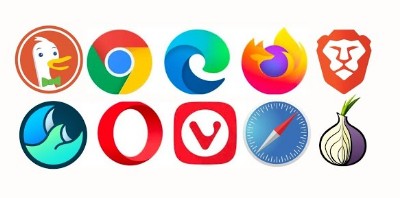
The most common browsers include Google Chrome, Apple Safari, and Microsoft Edge. Some users also browse with more secure browsers like BRAVE browser (considered the safest), Mozilla FireFox (also considered safer) and Duck-Duck-Go (great for safer mobile browsing). There are other browsers available on the market, but these are the most common. However, no matter which browser you use, check the settings to make sure tracking and other data suckers are turned off.
Key Functions of a Browser:
- Navigation: Uses a URL (Uniform Resource Locator) to find and display specific websites. The URL is the virtual address of the website and when you search for a particular web site, or type the URL into your browser window, the locator takes you to the location of the website.
- Rendering: The Browser interprets HTML, CSS, and JavaScript code to render text and images on your screen, so they are humanly-readable.
- Security: Browsers provides privacy settings and security features like safe browsing and private/incognito modes. Not all browsers are safe, so make sure to read the Privacy Policy and Terms of Service of each browser you use, so you understand the information they collect and use, and even “share” or sell with other companies.
- Content Access: Allows your interaction with the websites content (information posted on a website, including any video/media streaming and other types of web applications.
Key Differences: Browser vs. Search Engine:
- Browser: The software app on your device used to access the internet (e.g., Chrome, Safari, Firefox, etc.). This is your window to the world wide web through an internet connection or some other connection.
- Search Engine: A website accessed through a browser to find other websites (e.g., Google, Bing, Brave, FireFox, etc.). Google is the most popular Search Engine, to date, but it is also notoriously known for collecting your browsing habits and selling this information to advertisers and data brokers (as listed in their own Privacy Policy).
Common Web Browsers
- Google Chrome: Most popular, known for speed and ecosystem integration, but not totally safe, since your information is shared and sold with other companies, and is more recently reported to feed their AI model (Gemini or Google AI) with user information that is collected while browsing.
- Apple Safari: Default browser for Apple devices. Allows sharing or synching between various Apple devices (Example: iPhone –> Apple Watch –> iPad –> MAC). In the past, Safari for Apple devices was considered fairly safe, but recently, it has been reported on social media and in the news as now selling user data. I do not know if this is true, but you can research yourself, and see what you determine.
- Mozilla Firefox: An open-source browser focused on privacy. Some users claim you need to adjust some of the settings to insure privacy.
- Microsoft Edge: Default browser on Windows. Edge is reported to feed their AI model with user information that is collected while browsing, as well as sharing and selling user data.
- Brave: Privacy-focused, blocks ads by default. There is an option to use the TOR browser, which has been known to hide your personal information from 3rd parties.
- Opera: Includes built-in VPN and ad-blocking features.
- Duck Duck Go: An option to other browsers with a more security built-in. It is reported to be a safer browser for mobile device use.
Mobile vs. Desktop Browsers
While desktop browsers are designed for larger screens and complex tasks, mobile browsers are optimized for smaller screens, touch navigation, and efficient data usage, often offering synchronized browsing history and bookmarks between devices. Duck-Duck-Go is being reported online as the safest mobile browser. Do your own researched to determine which browser is best for you!