
Look for the “Red Flags” in Email & Texts
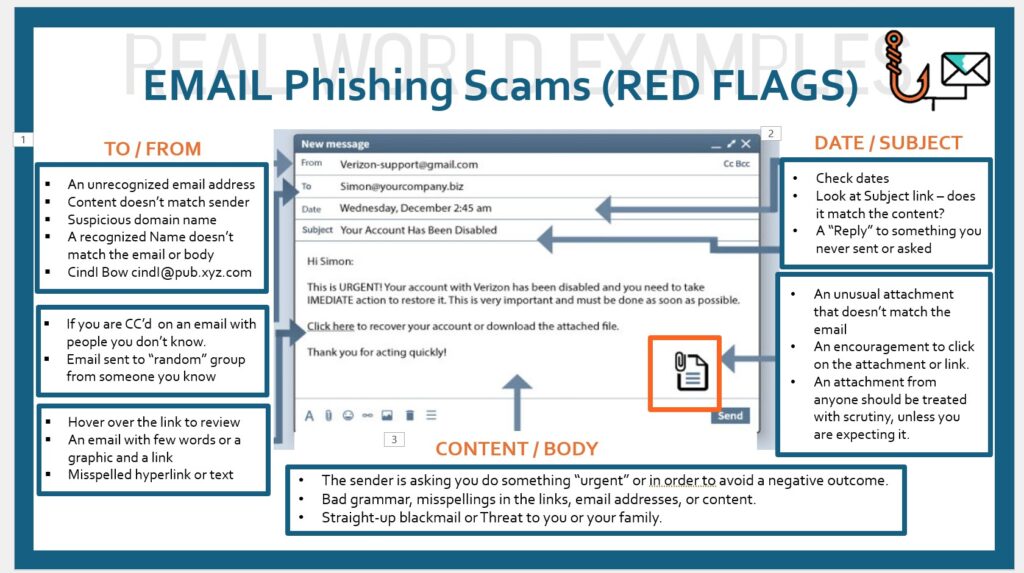
What are the Red Flags to look for in an email (and text messages)?
- Be very careful when clicking on any links that are showing inside an email. If you click a bad link, the hacker can do a tremendous amount of damage to your life – your phone or computer may need to be replaced, your passwords will need to be changed, you will probably need to get a new account number, new checking account, new credit cards, anything that is stored on your phone or computer. Heck, you could loose your entire life savings if the hacker gets your user name and password!
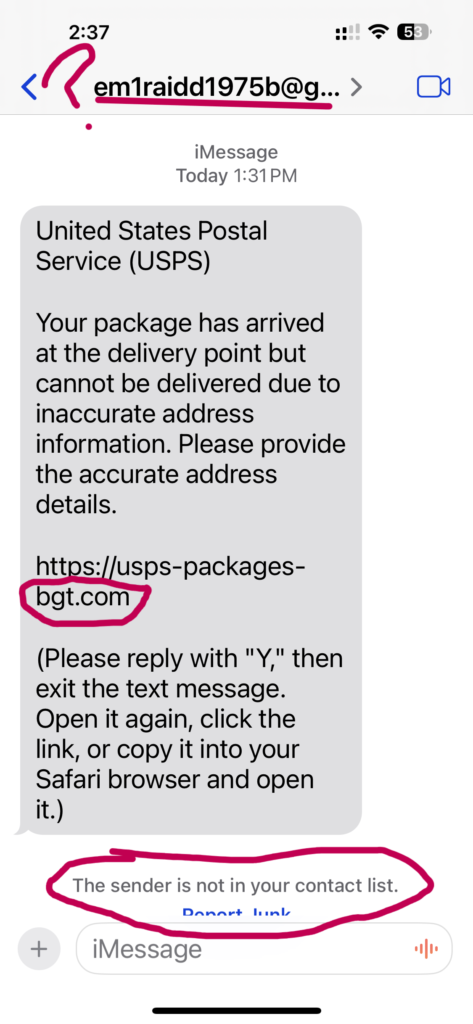
- Never click on links inside a text message unless you KNOW the person sending the link. If the link comes from a company, go directly to that company’s website and login to learn if the information they are sending is legitimate. If it is a political text – block and delete it! You do not know who is sending a text message and it could very well be a phishing scam!
- In Emails, look at the FROM address. If it is not a legitimate URL, block it and delete it! Some email providers let you “mark it as SPAM” so future emails from this sender will automatically be sent to your SPAM folder, or Blocked completely (all are different, so check).
- In Emails, look at the date, time, and other “header” information to see if the email looks legitimate. If the date is a future date, or if the date is improperly formatted, it is probably spam or fraud
- If the email content is offering something that is “too good to be true“, it probably is.
- If the content is demanding, or time-limited, or threatening, make a screen shot and report it to the Federal Communication Commission or Federal Trade Commission, so they can investigate, then delete it immediately! Do not click on any links inside the email.
- In emails and text messages, look for misspellings and incorrect language. This does not always mean it is fraud, but it is a Red Flag to be cautious!
- If the email contains an attachment, be careful clicking on the link or downloading the file, since viruses can be spread through images, attachments and other graphic files.
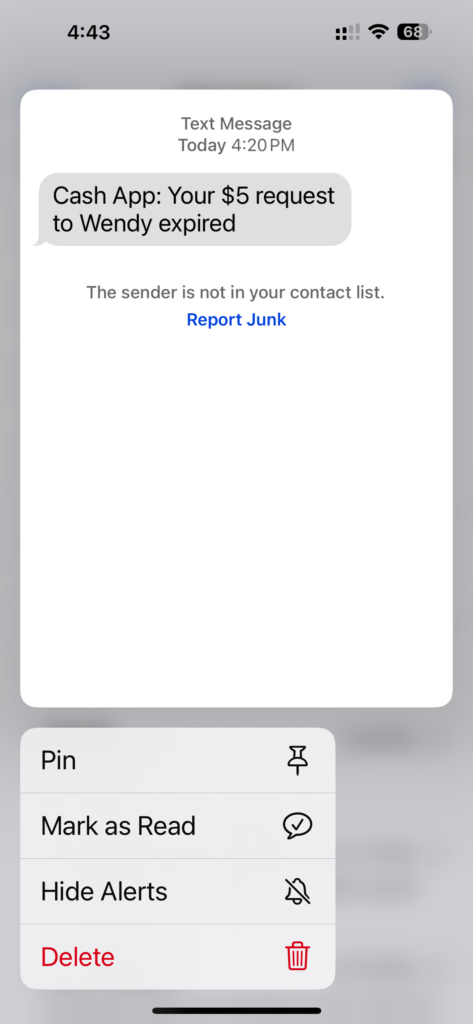
- If the email or text contains a “button” not allowing you to view the link URL, don’t click on it unless you are absolutely sure! Shipping notices, Financial App notices (like Venmo, etc.), What’s App notices, Amazon or other shopping applications can be faked by spammers to trick you into clicking on a bad link.
- In order to remain safe online, if you receive anything with a link, button, or attachment, go directly to the sender’s website, login to your account (without clicking on the link or button inside of your text message or email) and get the information there. Or, use the number published online or a number saved into your phone and call directly — DO NOT USE THE NUMBER sent inside the email or text message, since it can be fake.
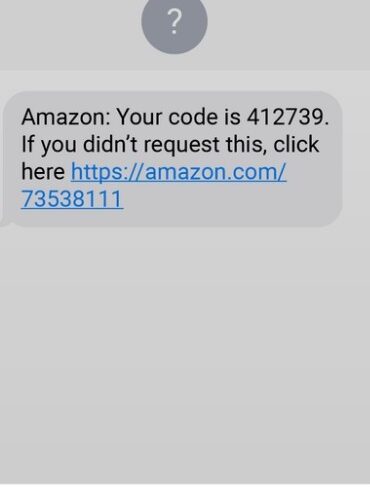
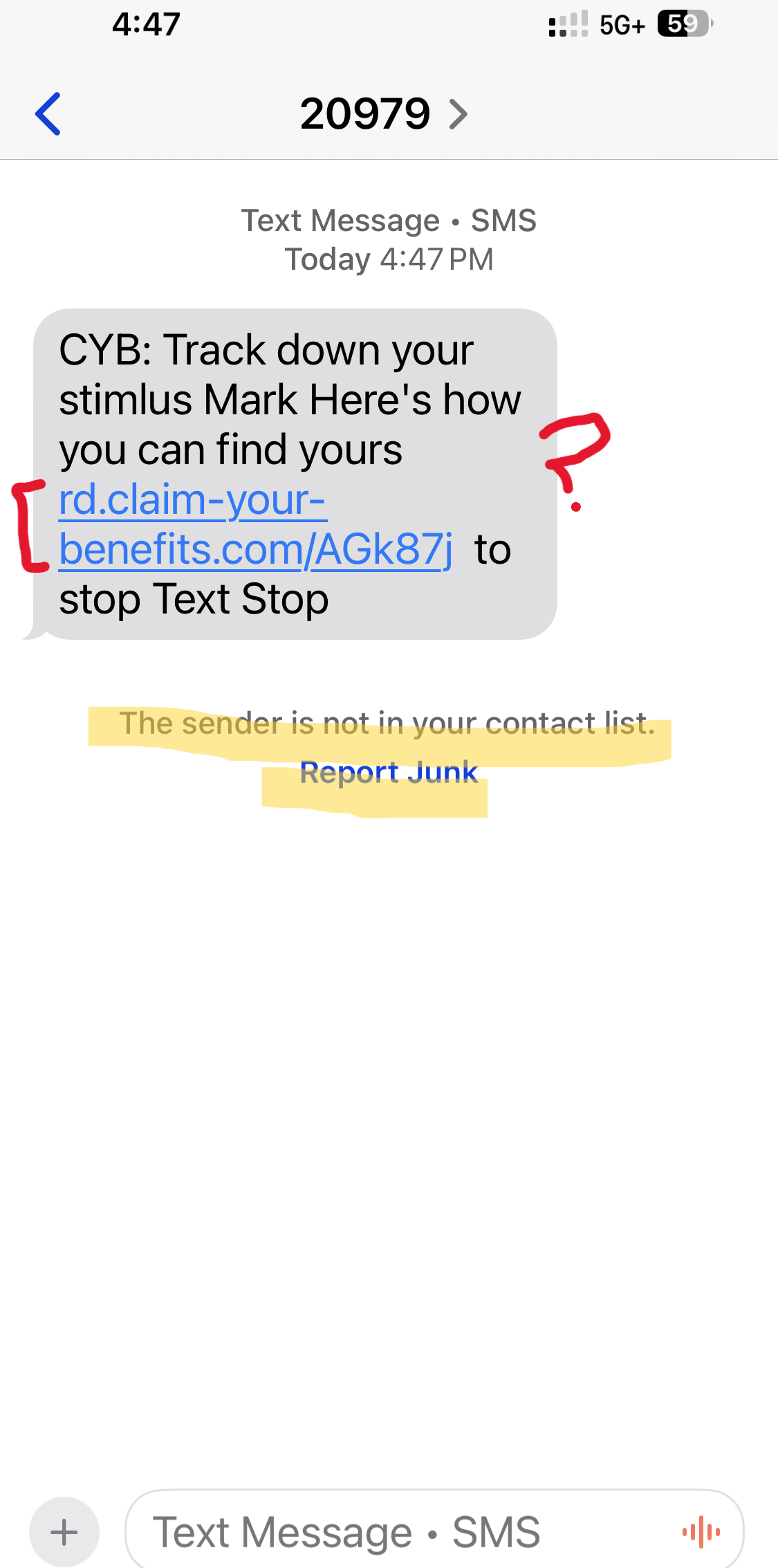
Take a look at the email graphic above and fake text messages below to get more Red Flag tips. And remember, if you are unsure, don’t click! Call the organization or person directly.
Click on the Orange Links in this article to review and understand the terms.